Ask any remote worker what keeps them up at night, and it's rarely the time difference with their boss.
It's the Wi-Fi.
The café connection that drops halfway through a client call.
The guesthouse router that gives up the moment two people open Netflix. The airport arrival where you can't book a ride because your phone has no data and your home carrier wants a small fortune for roaming.
For people who earn a living from a laptop, connectivity isn't a convenience. It's the office. That's why more digital nomads and location-independent workers are swapping hunt-for-a-SIM-shop routines for an esim for international travel that's ready before they even land.
But not all eSIM providers are built the same, and the cheapest plan on a comparison site isn't always the one that holds up on a Tuesday afternoon deadline. Here's why remote workers are making the switch, and what's actually worth looking for before you buy.

First, a Quick Refresher: What Is an eSIM?
Before getting into the good stuff, it helps to answer a question most of us have never stopped to ask: What exactly does a SIM card do? In short, it's your phone's ID badge. The SIM holds the details that tell a mobile network who you are, which plan you're on, and whether you're allowed onto its towers.
An eSIM does exactly the same job, minus the fiddly piece of plastic. The chip is built into your phone, tablet or laptop at the factory. Instead of swapping cards, you download an "eSIM profile" from a provider, usually by scanning a QR code or tapping through an app. Think of it as the difference between buying a DVD and streaming the film: same content, no trip to the shop.
That shift matters more than it sounds. Because the eSIM is digital, you can keep your home number active for calls and texts while a second eSIM handles your data abroad. No more pocketing a tiny SIM tray tool or hoping you don't lose your home SIM in a hostel drawer in Lisbon.
Most recent phones support eSIM, including iPhones from the XS and XR onwards, recent Google Pixels and Samsung Galaxy flagships. A quick way to check: dial *#06#. If an EID number appears, your device is eSIM-ready. One catch worth flagging early: your phone must be carrier-unlocked, as handsets bought on contract are sometimes locked to their original network.
Why Remote Workers Are Making the Switch
You're online the moment you land
With a physical tourist SIM, your first hour in a new country often goes like this: queue at an airport kiosk, hand over your passport, pay inflated airport prices, then wrestle with a SIM tray while your taxi driver waits. With an eSIM, you install the profile at home and the data plan kicks in when you arrive. By the time you've cleared immigration, you can message your accommodation, open your maps and check whether that 9am stand-up got moved.
It's far cheaper than roaming
Home carrier roaming packages are designed for the occasional holiday, not for someone who spends ten months a year abroad. Travel eSIMs are typically prepaid, with no surprise bills when you get home. Ubigi, for example, says its plans can save up to 90% compared with standard roaming charges.
Your laptop gets a backup connection
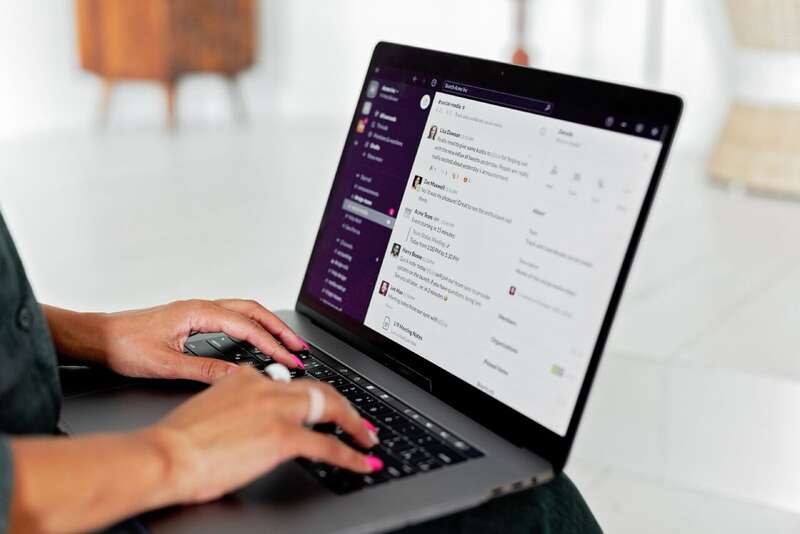
This is the big one for anyone who works on the road. Some travel eSIMs allow you to share your mobile data connection with other devices, turning your phone into a personal hotspot. When the co-working space Wi-Fi collapses ten minutes before a client presentation, you can tether your laptop to your phone and carry on as if nothing happened. It also means one data plan can cover your phone, laptop and tablet, rather than juggling separate connections for each.
Not every provider permits this, so it's worth checking the fine print. Ubigi allows tethering on all of its data plans.
Mobile data beats dodgy public Wi-Fi
Public Wi-Fi in cafés, airports and hotels is convenient, but it's also shared with strangers and often unsecured. If you handle client files, log into company systems or check your bank account on the go, a mobile data connection on your own eSIM is a far more private option.
You keep your number
Because most travel eSIMs are data-only, your home SIM stays in place for calls and texts. Your bank's verification codes still reach you, and your clients can still call the number on your website. For everything else, there's WhatsApp, Zoom and Teams.
What to Look for Before You Buy
The eSIM market has exploded, and most providers look identical on a comparison table: a price, a data allowance and a list of countries. The differences that matter to remote workers tend to sit underneath. Here's what to check.
1. Who actually runs the network?
Many eSIM brands are resellers. They buy data wholesale from another company and repackage it under their own name. That's not automatically a problem, but it does mean less control over routing, partner networks and support when something goes wrong.
A Full MVNO (Mobile Virtual Network Operator) sits a level deeper. It manages its own core network and negotiates directly with local carriers around the world. Ubigi is one of these. It's run by Transatel, part of Japan's NTT group, and operates as a Full MVNO rather than a reseller. The practical result is a wide web of regional carrier partnerships, which means stronger coverage and fewer dead zones. In many countries it connects to more than one local network, so if one signal is weak, there's often another to fall back on. Coverage spans more than 200 destinations, with 5G available where local networks support it.
For a remote worker, that's the difference between a connection that works in the capital and one that still works on the train to the coast.
2. Can you top up when you've run out of data?
Here's a scenario every traveller knows: your data runs out at the worst possible moment, and the only way to buy more is through an app or website that needs, well, data. Unless you can find Wi-Fi, you're stuck.
It's worth checking how a provider handles this before you need it. Ubigi's Smart Top-up solves the problem neatly. With the Ubigi eSIM installed, the Ubigi app stays reachable for free even when your balance hits zero and you've got no Wi-Fi. You can't browse or stream, but you can open the app and buy more data on the spot. For anyone working from a mountain town or a long-haul bus, that's a small feature with a big payoff.
3. Which country does the internet think you're in?
This one catches out a lot of nomads. When you use a local SIM or local Wi-Fi abroad, websites see an IP address from that country. Sounds harmless, until your bank flags a login from Vietnam as suspicious, your company's tools ask for extra verification, or your favourite streaming service shows a completely different library.
The usual fix is a VPN, which works but can add lag to video calls and slow down your connection. Ubigi's Smart IP takes a different approach. In selected countries, you can choose whether your connection uses an IP address from your country of residence or from your destination. Switch to a home-country IP and you browse much as you would back home; switch to a local one when you want local results. It's built into the eSIM itself, so there's no extra app to install, and it's currently free. It's available for residents of Australia, Belgium, Canada, France, Germany, Japan, Singapore, Switzerland, the United Kingdom and the United States, with more countries planned. You can find the details on Ubigi's IP location page.
4. Does the plan fit how you travel?
A two-week trip and a year of slow travel need very different plans. Look for a provider that offers a range: one-off plans for short stints, monthly plans for longer stays and regional or global plans if you cross borders often. Also check whether you need a new eSIM for every trip. With Ubigi, you install the eSIM once and keep it, topping up whenever you head somewhere new.
5. Is tethering allowed?
We covered this above, but it bears repeating in a buying checklist. If you work from a laptop, a plan that blocks hotspot use is close to useless as a backup. Confirm it before you pay.
A Few Setup Tips From the Road
Once you've picked a provider, a little preparation saves a lot of airport stress.
Install before you fly. Setting up the eSIM profile needs an internet connection, so do it at home or in your hotel the night before. Most plans won't start counting days until you connect to a network at your destination.
Label your lines. Both iPhone and Android let you rename each SIM. Call your home line "Home" and your travel eSIM "Travel" so you always know which one is using data.
Set your data line correctly. In your phone's settings, choose the travel eSIM for mobile data and keep your home SIM for calls and texts. Then switch off data roaming on your home line, which is the easiest way to avoid a nasty bill from your usual carrier.
Test your hotspot early. Don't wait until a deadline to find out how tethering works on your phone. Connect your laptop once on day one, so it's second nature when you really need it.
Keep an eye on usage. Video calls eat data quickly. A one-hour HD call can use well over a gigabyte, so track your balance in the provider's app and top up before you hit zero.
The Bottom Line
For remote workers, an eSIM isn't a gadget upgrade. It's insurance for your income. It gets you online the minute you land, gives your laptop a backup when the Wi-Fi gives up, and keeps you clear of roaming bills that can wipe out a month's savings.
The trick is looking past the headline price. Check who runs the network, whether you can top up with an empty balance, which IP address you'll be browsing from and whether tethering is allowed. Get those four things right, and your office really can be anywhere with a signal.
Photo source: depositphotos.com











Write Your Comment
Please DO NOT include links, URLs or HTML in your comments - they will be automated deleted and you will waste your time.